If you find that the iTalam website is not presenting you with the normal login screen, this process will probably resolve the issue:
Step 1
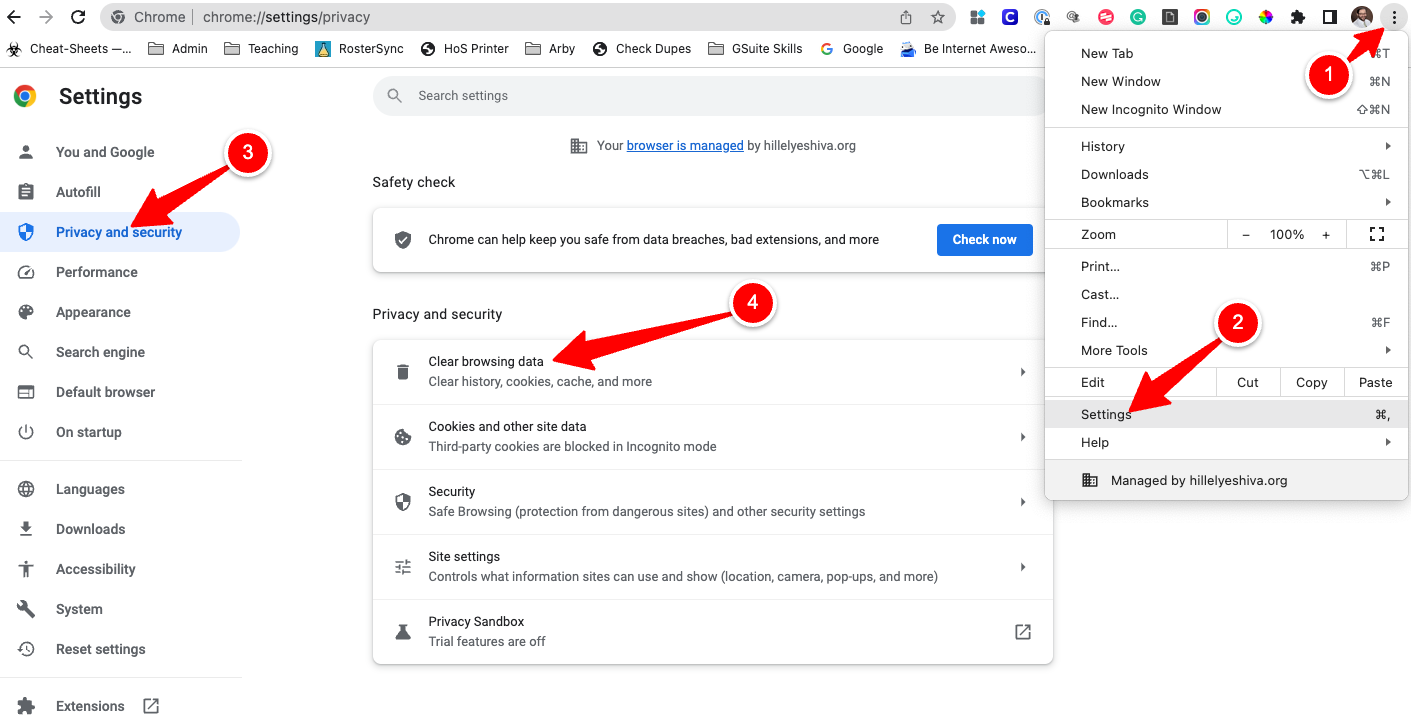
- First, Click the three-dot menu in the top-right corner of your Chrome browser.
- Click on Settings in the menu.
- Click on Privacy and Security.
- Click on Clear browsing data.
Step 2
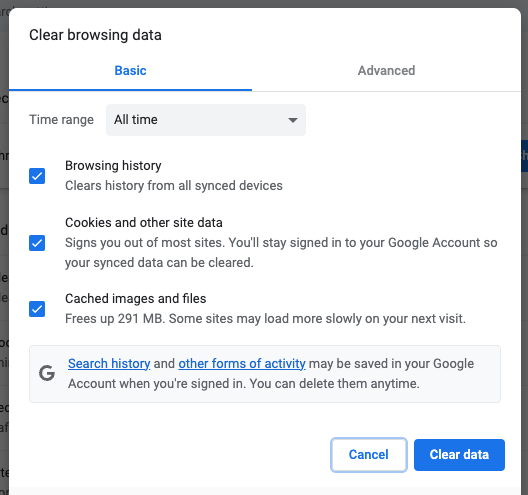
In the pop-up window, check all three boxes for "All time" and click the Clear data button.